B L ENTERPRISES • JAIPUR

Laptop Overheating & Thermal Paste Service in Jaipur

B L Enterprises provides laptop and computer overheating services in Jaipur, including thermal paste replacement, internal dust cleaning, cooling fan inspection, heatsink cleaning, and thermal troubleshooting. We assess the complete cooling system before recommending a particular service.

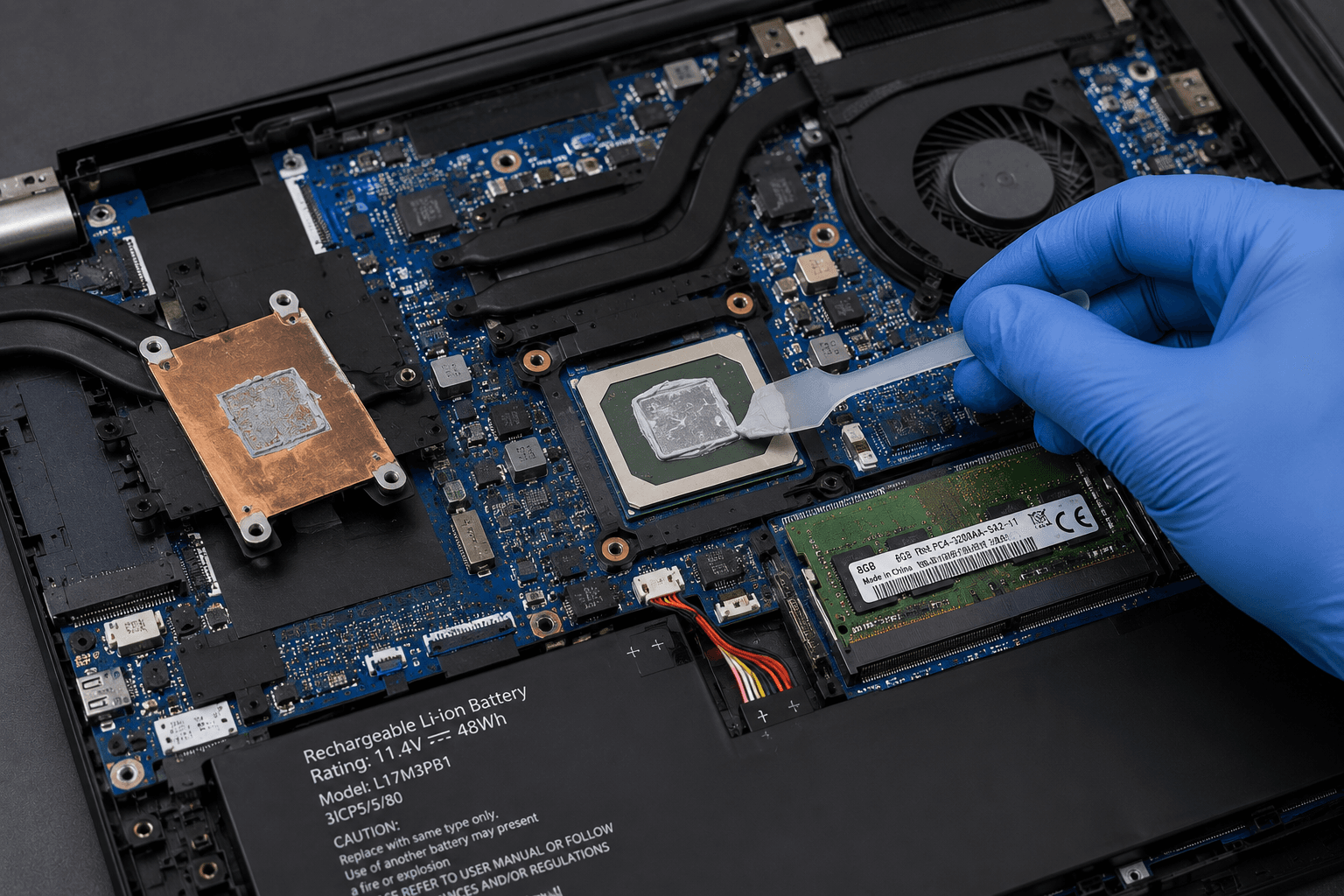
Laptop overheating and thermal paste service in Jaipur by B L Enterprises

Laptop Overheating Diagnosis & Cooling Service

Overheating can affect both laptop performance and everyday reliability. Dust accumulation, blocked airflow, cooling fan problems, degraded thermal interface material, heavy workloads, and other hardware conditions can all contribute to increased temperatures. B L Enterprises evaluates the cooling system before recommending thermal paste replacement, cleaning, fan service, or further troubleshooting.

Signs Your Laptop May Have a Cooling Problem

Persistent thermal symptoms should be investigated rather than ignored.

Laptop becomes unusually hot
Fan runs loudly or continuously
System slows down during demanding tasks
Laptop shuts down unexpectedly
Computer restarts under heavy workloads
Airflow from vents appears weak
Fans are clogged with visible dust
Temperature rises unusually quickly

Our Overheating & Thermal Services

Cooling-system services for laptops and compatible computer hardware.

01

Laptop Overheating Diagnosis

We assess overheating symptoms and inspect the laptop's cooling system, airflow, fan operation, thermal behavior, and other relevant hardware.

Why it matters: Proper diagnosis helps identify the actual cause instead of assuming that thermal paste alone is responsible.

02

Thermal Paste Replacement

Thermal interface material between suitable processor components and their cooling assembly can degrade over time. Where appropriate, the old material can be removed and replaced.

Why it matters: Good thermal contact helps heat transfer between the processor and cooling assembly.

03

Internal Dust Cleaning

Dust and debris can accumulate inside laptop cooling systems, fans, vents, and heatsinks. Internal cleaning helps restore airflow where dust is contributing to thermal problems.

Why it matters: Restricted airflow can reduce cooling effectiveness and contribute to higher operating temperatures.

04

Cooling Fan Cleaning

Cooling fans and surrounding areas are inspected and cleaned where dust accumulation is affecting airflow or fan operation.

Why it matters: A clean and properly functioning fan helps move heat away from the cooling assembly.

05

Heatsink Inspection

The heatsink and cooling assembly are inspected for dust blockage, mounting issues, and other visible conditions that may affect heat transfer.

Why it matters: The heatsink is a key part of the thermal system and needs proper contact and airflow to work effectively.

06

Thermal Pad Inspection

Where a device uses thermal pads for specific components, their condition and placement can be assessed during suitable cooling-system service.

Why it matters: Thermal pads are used for particular component-to-heatsink interfaces and should be replaced with appropriate specifications when required.

07

Fan & Cooling System Troubleshooting

We investigate unusual fan behavior, poor airflow, cooling performance issues, and related hardware symptoms.

Why it matters: A thermal problem can sometimes originate from the cooling fan or another hardware component rather than thermal paste.

08

Thermal Performance Assessment

After appropriate service, the system can be checked for abnormal temperature behavior and cooling-related symptoms.

Why it matters: Assessment helps determine whether the service addressed the suspected cooling problem or whether further diagnosis is needed.

Why Thermal Paste Matters

Thermal paste, also called thermal interface material, helps transfer heat between suitable heat-producing components and their cooling assembly. Over time, the material can deteriorate or lose effectiveness, although the actual need for replacement varies by device and usage.

Better Heat Transfer

Fresh, properly applied thermal interface material can help maintain effective contact between suitable heat-producing components and their cooling assembly.

Improved Airflow

Removing accumulated dust from vents, fans, and heatsinks can help restore airflow where blockage is contributing to the problem.

Reduced Thermal Stress

Keeping the cooling system in good condition can help the system manage heat more effectively during normal workloads.

More Consistent Performance

A properly functioning cooling system can help reduce performance reductions associated with excessive temperatures.

Cleaning or Thermal Paste Replacement?

These services address different parts of the cooling system. Depending on the condition of the laptop, one or both may be appropriate.

Thermal Cleaning

  • ✓ Removes accumulated dust from cooling components.
  • ✓ Helps improve airflow where dust is restricting it.
  • ✓ Includes inspection of fans and vents.
  • ✓ Useful when dust buildup is contributing to overheating.

Thermal Paste Replacement

  • • Replaces degraded thermal interface material where appropriate.
  • • Helps restore effective thermal contact.
  • • Requires appropriate disassembly and application.
  • • Should be performed according to the device's cooling design.

What Happens After Thermal Service?

After appropriate cleaning or thermal maintenance, the system can be checked for abnormal fan behavior, temperature-related symptoms, airflow issues, and general cooling performance. Actual temperature changes depend on the laptop design, workload, ambient conditions, cooling hardware, and the condition that existed before service.

Why Choose B L Enterprises?

Computer hardware and IT support in Jaipur since 1997.

Since 1997

B L Enterprises has been providing computer hardware and IT services since 1997.

Hardware Experience

Cooling problems are assessed as part of the complete computer hardware system.

Diagnosis First

We do not assume that every overheating problem is caused by thermal paste. Cooling fans, airflow, dust, hardware, and workload are also considered.

Jaipur-Based Support

Local laptop and computer service support from our base in Vaishali Nagar, Jaipur.

Frequently Asked Questions

What causes a laptop to overheat?

Common causes can include dust buildup, restricted airflow, cooling-fan problems, degraded thermal interface material, heavy workloads, ambient temperature, or other hardware conditions.

Does every overheating laptop need new thermal paste?

No. Thermal paste is only one possible cause of thermal problems. Dust, fan condition, heatsink contact, airflow, workload, and other hardware should also be considered.

How often should laptop thermal paste be replaced?

There is no universal replacement interval for every laptop. The need depends on the device, workload, thermal behavior, condition of the existing material, and cooling-system condition.

Can thermal paste replacement reduce laptop temperatures?

If degraded or improperly performing thermal interface material is contributing to the problem, appropriate replacement may improve heat transfer. The actual result depends on the overall cooling system and condition of the laptop.

Why does my laptop fan make a lot of noise?

High fan noise can result from heavy workloads, high temperatures, dust buildup, restricted airflow, or fan-related problems. Diagnosis can help identify the cause.

Can overheating damage a laptop?

Repeated operation at excessive temperatures can contribute to thermal stress and may affect system stability or performance. Persistent overheating should therefore be investigated rather than ignored.

Do you provide thermal paste replacement in Jaipur?

Yes. B L Enterprises provides laptop and computer cooling services in Jaipur, including thermal paste replacement where appropriate, along with cooling-system inspection and cleaning.

Need Laptop Overheating or Thermal Paste Service in Jaipur?

Contact B L Enterprises to discuss laptop overheating, thermal cleaning, fan problems, or thermal paste replacement.