Slow Multitasking
Running multiple applications or browser tabs at the same time can become difficult when the system does not have enough available memory.
B L ENTERPRISES • JAIPUR
Upgrade your laptop or desktop RAM with B L Enterprises. We assess your existing memory configuration and help select compatible RAM to improve multitasking, responsiveness, and performance for everyday, business, gaming, development, design, and professional workloads.
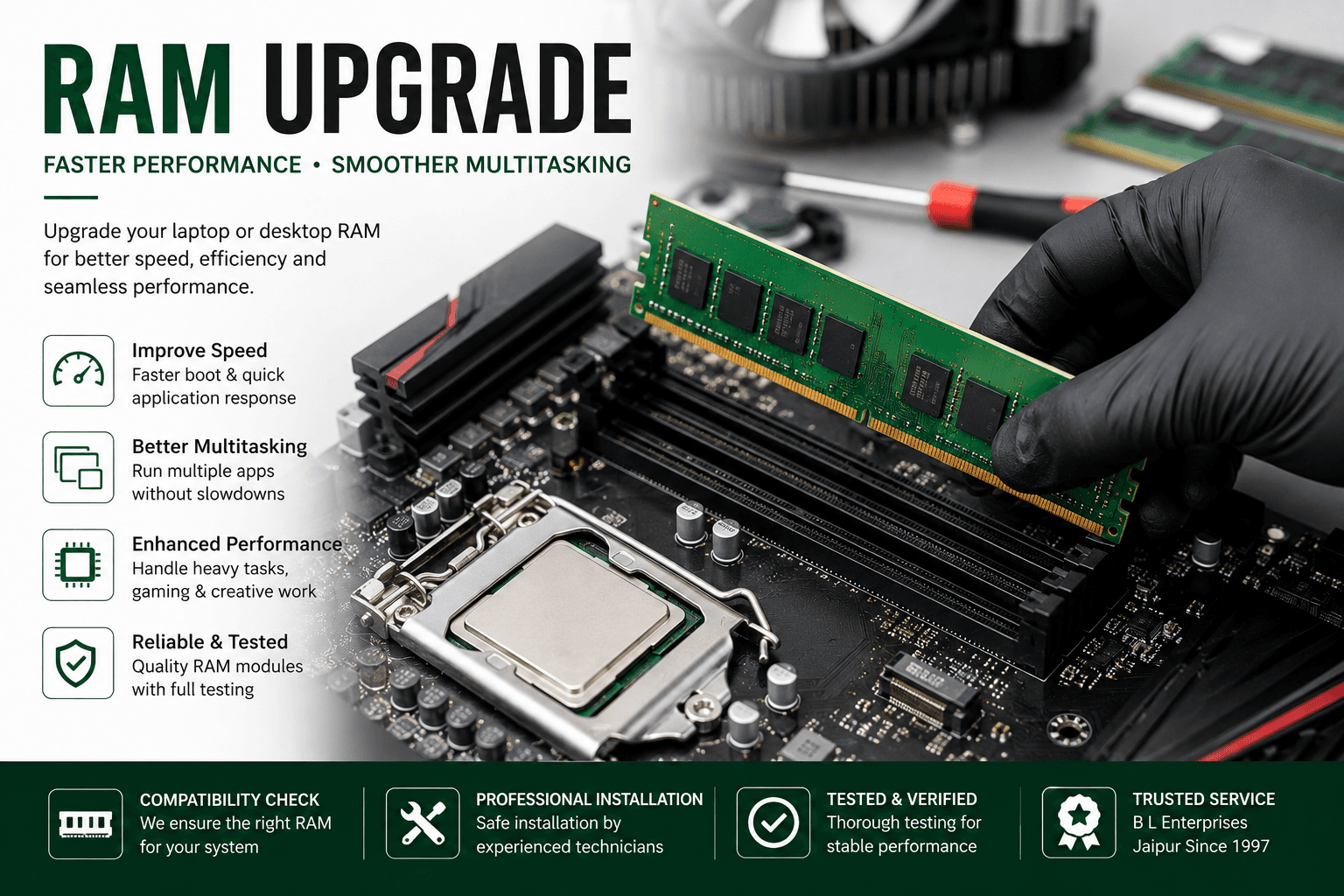
RAM, or Random Access Memory, is the temporary working memory used by your computer while applications and processes are running. When available memory becomes insufficient for your workload, the system may become slower when multitasking or running demanding applications. A suitable RAM upgrade can provide additional memory capacity and help improve the overall experience when RAM is the limiting factor.
These symptoms can indicate that memory capacity is becoming a limitation for your workload.
Running multiple applications or browser tabs at the same time can become difficult when the system does not have enough available memory.
Applications may become unresponsive or the computer may feel slow when available RAM is consistently under pressure.
Memory-intensive applications can benefit from additional RAM when the existing memory capacity is limiting performance.
A system that regularly reaches very high memory usage may benefit from additional RAM, depending on the workload and hardware configuration.
Switching between several programs can become less responsive when the system has limited memory available.
Development tools, design applications, virtual machines, large spreadsheets, and other demanding workloads may require more memory.
From compatibility checks to installation and memory testing.
We check the computer's existing memory configuration and hardware specifications before recommending an upgrade.
Why it matters: RAM is not universally interchangeable. The memory type, generation, capacity, speed, form factor, and motherboard support need to be considered.
We assess compatible memory upgrade options for supported laptops and help determine whether additional or replacement RAM is appropriate.
Why it matters: A laptop upgrade can improve multitasking and extend the useful life of a system when memory capacity is the limiting factor.
Desktop systems can often accommodate additional memory depending on the motherboard, available slots, supported capacity, and memory specifications.
Why it matters: Increasing desktop memory can help systems handle more applications and demanding workloads simultaneously.
Faulty or incompatible memory modules can be diagnosed and replaced with suitable modules.
Why it matters: Defective RAM can cause crashes, instability, boot problems, application errors, or other unpredictable system behavior.
Where supported, memory modules can be configured appropriately to take advantage of the system's supported memory architecture.
Why it matters: Correct memory configuration can help the system make better use of installed RAM and maintain stable performance.
After installation or replacement, the system can be checked to confirm that the new memory is recognized and operating correctly.
Why it matters: Testing helps identify installation, compatibility, or memory-related problems before the upgraded system is returned to regular use.
When memory capacity is the limiting factor, adding RAM can provide several practical benefits.
The right amount of RAM depends on what you use your computer for.
Additional RAM can make it easier to work with multiple office applications, browser tabs, documents, and communication tools at the same time.
Development environments, IDEs, browsers, containers, and other tools can consume significant memory during larger projects.
Image editing, design applications, video tools, and other creative workloads can benefit from sufficient system memory.
Games and gaming-related applications can benefit from adequate RAM, although overall gaming performance also depends heavily on the processor and graphics hardware.
Machine learning workflows, development environments, datasets, and supporting applications can require substantial system memory.
Running one or more virtual machines can consume significant RAM because memory is allocated to the guest operating systems.
Installing more RAM is not simply about choosing the largest capacity available. The computer must support the selected memory.
Different computers use different memory generations and physical formats. We assess the existing configuration before recommending an upgrade.
Computer hardware and IT support in Jaipur since 1997.
B L Enterprises has been providing computer hardware and IT services since 1997.
We work with laptop and desktop hardware, upgrades, repairs, and custom computer configurations.
We check the existing hardware before recommending a memory upgrade.
Local computer hardware and IT support from our base in Vaishali Nagar, Jaipur.
The appropriate amount depends on how the computer is used. Everyday users, office systems, developers, gamers, designers, and AI/ML workloads can have very different memory requirements.
No. Some laptops have upgradeable memory while others have memory soldered directly to the motherboard. The exact laptop model needs to be checked before an upgrade can be recommended.
Many desktop computers support additional RAM, but the motherboard's maximum capacity, available slots, supported memory generation, and existing configuration need to be checked first.
Additional RAM can improve performance when insufficient memory is causing slowdowns or limiting multitasking. It does not automatically make every computer faster if RAM is not the current performance bottleneck.
It depends on the current system. If memory usage is consistently high, RAM may be the better upgrade. If the system still uses a slow hard drive, an SSD upgrade can have a major impact on boot and application loading times.
It depends on the system and memory configuration. Different capacities may work in some systems, but the modules should be compatible and supported by the motherboard or laptop.
A normal RAM installation does not delete the data stored on your SSD or hard drive. However, important data should always be backed up before hardware service.
Yes. B L Enterprises provides laptop and desktop RAM assessment, upgrade, replacement, and compatibility support in Jaipur.
Contact B L Enterprises to check your laptop or desktop's RAM compatibility and explore suitable upgrade options.