Laptop Not Charging
A laptop that does not charge may have a faulty charger, battery, charging port, connector, charging circuit, or another hardware issue.
B L ENTERPRISES • JAIPUR
B L Enterprises provides laptop charger and power jack repair services in Jaipur for charging problems, loose charging ports, damaged adapters, intermittent charging, and other laptop power-related faults. We diagnose the complete charging system before recommending repair or replacement.
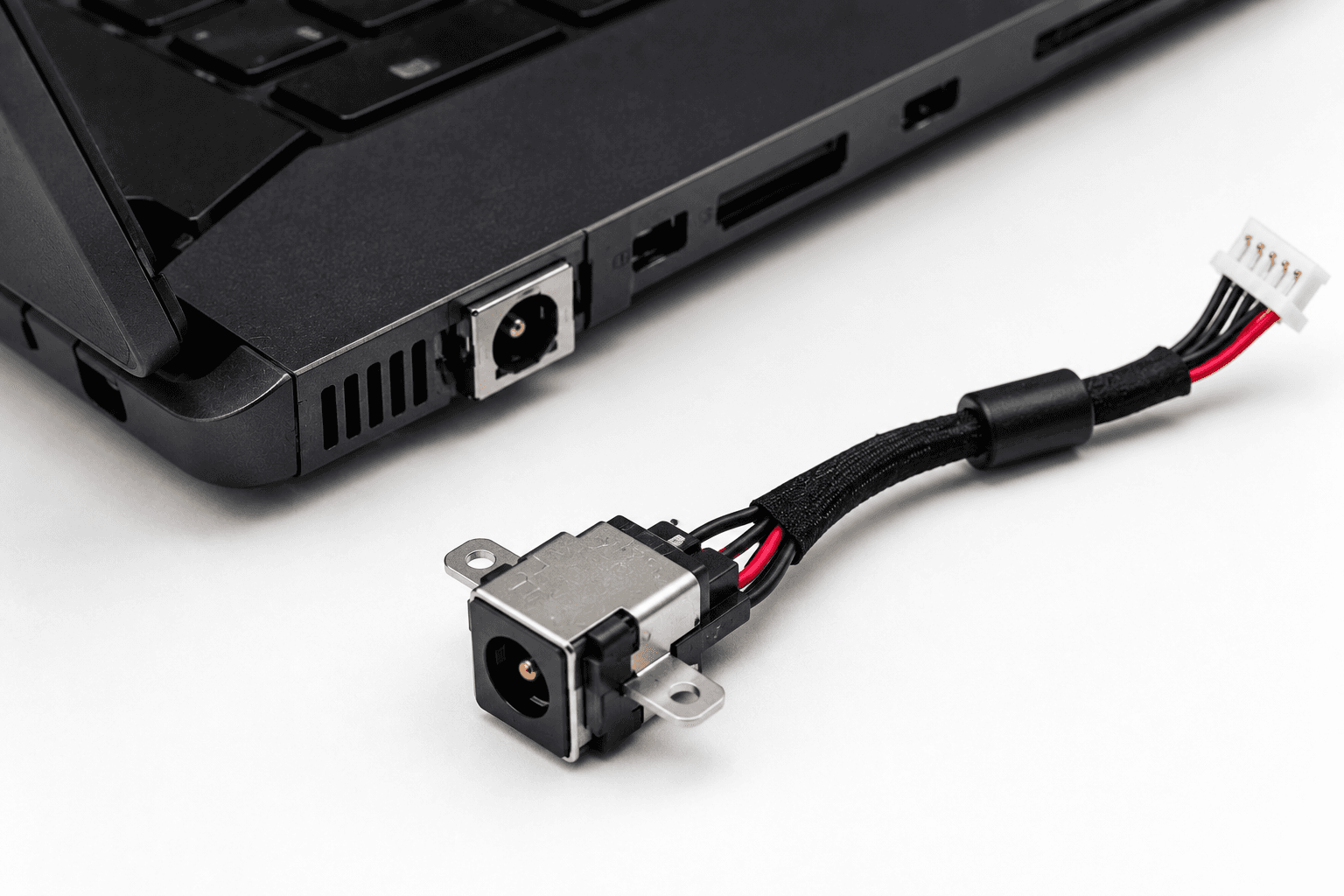
A laptop that refuses to charge does not necessarily have a bad battery. The problem may involve the charger, power cable, connector, DC jack, charging circuit, battery, or another part of the laptop. B L Enterprises checks the complete charging path to identify the likely source of the problem before recommending a repair or replacement.
These symptoms can have several possible causes, which is why proper diagnosis is important.
A laptop that does not charge may have a faulty charger, battery, charging port, connector, charging circuit, or another hardware issue.
A loose or unstable DC jack can cause charging to stop when the charger plug moves or does not remain securely connected.
If the laptop charges only when the adapter is positioned in a particular way, the charger plug, cable, DC jack, or internal connection may require inspection.
Frayed, bent, broken, or physically damaged charger cables can cause intermittent charging or prevent the laptop from receiving power.
A laptop may fail to recognize its adapter because of an adapter fault, connector problem, charging circuit issue, or compatibility problem.
Charging that repeatedly starts and stops can be caused by a damaged adapter, loose power jack, cable problem, battery, or internal power circuitry.
We cover common charger, charging-port, DC jack, and laptop power-related requirements.
We assess the complete charging path, including the charger, connector, DC power jack, battery, and relevant laptop power hardware.
Why it matters: Correct diagnosis helps identify whether the charger, power jack, battery, or internal charging circuit is responsible.
The laptop adapter and its output are assessed when the system is not charging or shows inconsistent power behavior.
Why it matters: A faulty charger can cause charging problems and replacing the laptop's internal components will not solve an adapter-related fault.
Damaged, loose, broken, or unstable laptop charging ports can be assessed for repair or replacement depending on the laptop design.
Why it matters: A damaged power jack can interrupt charging and may place additional stress on the laptop's internal power connection.
Where the laptop design permits it, a damaged charging jack or port can be replaced with a suitable compatible component.
Why it matters: A correctly fitted charging port can restore a stable connection between the charger and laptop.
The adapter cable, plug, connector, and laptop-side connection are inspected when charging is intermittent or unstable.
Why it matters: Cable and connector problems can produce symptoms similar to a damaged charging port.
If the charger and power jack appear functional but the laptop still does not charge, related internal power circuitry can be assessed.
Why it matters: Some charging faults originate beyond the external adapter or DC jack and may require board-level diagnosis.
The charger specifications are checked against the laptop requirements before recommending a replacement adapter.
Why it matters: Using an appropriate compatible adapter is important for stable and suitable power delivery.
The charging port can be inspected for dust, debris, physical damage, bent contacts, or other visible issues that may interfere with the connection.
Why it matters: A clean and physically sound connection helps maintain reliable contact between the charger and laptop.
Laptop chargers are not universal. A replacement adapter should match the laptop's required electrical and physical specifications. Using an unsuitable adapter can cause charging problems or other hardware concerns.
Exact charger compatibility depends on the laptop model and required adapter specifications.
Both problems can produce similar charging symptoms, but they require different solutions.
These symptoms are indicators rather than definitive diagnoses. A hardware inspection may be required.
Charger and power-jack repair availability depends on the exact laptop model and hardware configuration.
Computer hardware and IT support in Jaipur since 1997.
B L Enterprises has been providing computer hardware and IT services since 1997.
We consider the charger, power jack, battery, and internal charging hardware rather than assuming one component is responsible.
Our broader computer hardware experience helps us assess power and charging problems alongside other laptop components.
Local laptop and computer service support from our base in Vaishali Nagar, Jaipur.
The cause can be the charger, charging port, battery, connector, charging circuit, or another hardware issue. Diagnosis is recommended before replacing any component.
Symptoms can include no charging, intermittent charging, unusual adapter behavior, cable damage, or the laptop failing to recognize the adapter. Testing the adapter and laptop charging system can help identify the cause.
In some laptop designs, a loose or damaged DC power jack can be repaired or replaced. The exact repair method depends on how the charging port is connected to the laptop.
This can indicate a damaged charger plug or cable, a loose charging jack, or an internal connection problem. Continued movement can make the fault worse, so assessment is recommended.
Compatible charger replacement can be assessed based on the laptop model and the required electrical and connector specifications.
No. The charger, charging port, connector, charging circuit, software, or motherboard can also cause charging problems. The battery should not automatically be replaced without diagnosis.
Yes. B L Enterprises provides laptop hardware and charging-related services in Jaipur. The exact repair option depends on the laptop model and nature of the power-jack fault.
Contact B L Enterprises to have your laptop charging or power problem assessed and discuss suitable repair or replacement options.