Water Spillage
Water entering a laptop can affect the keyboard, motherboard, connectors, battery, display components, and other internal hardware.
B L ENTERPRISES • JAIPUR
B L Enterprises provides laptop liquid spill and water damage assessment and repair services in Jaipur. We handle laptops affected by water, tea, coffee, beverages, and other liquids, including internal cleaning, corrosion assessment, keyboard inspection, power diagnosis, and motherboard evaluation.
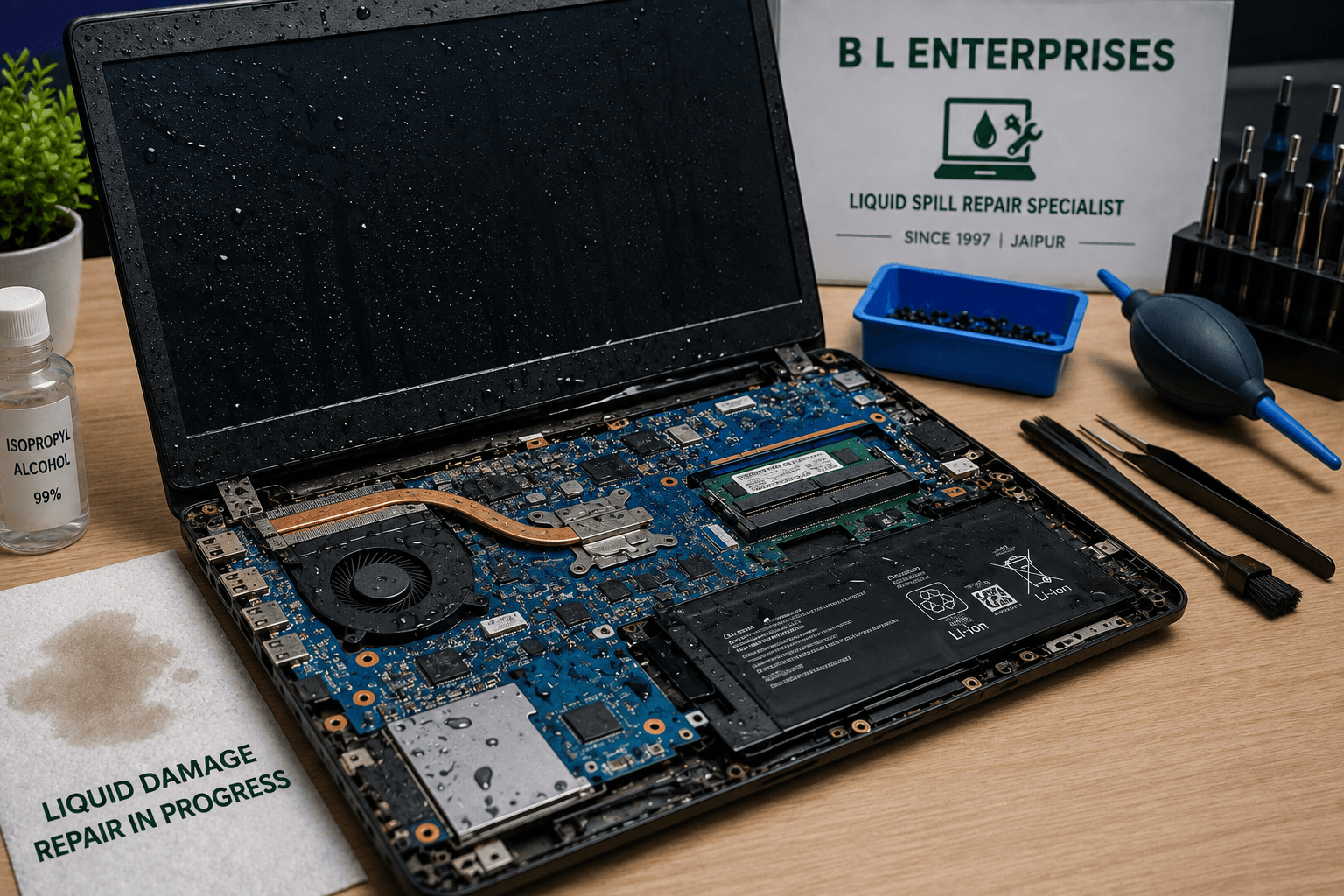
Liquid entering a laptop can affect far more than the keyboard. Depending on where the liquid travels, it can reach the motherboard, charging system, battery, connectors, storage, display components, and other internal hardware. Even when a laptop appears dry from the outside, residue or corrosion may remain inside. B L Enterprises assesses the affected hardware before recommending cleaning, repair, replacement, or data recovery.
If a significant amount of liquid enters the laptop, avoid continuing normal operation while waiting for assessment.
Stop using the laptop.
Disconnect the charger if it can be done safely.
Avoid repeatedly pressing the power button.
Keep the laptop away from additional liquid.
Have the laptop assessed as soon as practical.
Tell the technician what type of liquid was spilled and where it entered.
Improvised drying methods or repeated power attempts can make an already damaged laptop harder to assess.
Liquid can produce different symptoms depending on the affected components.
Water entering a laptop can affect the keyboard, motherboard, connectors, battery, display components, and other internal hardware.
Tea, coffee, and other beverages can leave residues that may contribute to corrosion or electrical problems after entering the laptop.
Liquid exposure can affect individual keys, the keyboard assembly, cable, connector, or nearby motherboard components.
A laptop that stops powering on after liquid exposure may have suffered damage to internal power or motherboard components.
Liquid can affect charging connectors, power circuits, battery connections, or other components involved in laptop power delivery.
Liquid exposure can sometimes result in intermittent electrical faults, unexpected shutdowns, or unstable system behavior.
Assessment, cleaning, hardware diagnosis, and repair options based on the condition of the affected laptop.
We inspect the laptop to determine which areas may have been affected by the liquid and assess the visible condition of internal components.
Why it matters: Early assessment helps determine the extent of the damage and whether additional components may require attention.
Where appropriate, affected internal areas can be cleaned to remove liquid residue and contamination from accessible components.
Why it matters: Removing residues can help reduce the risk of continued contamination and corrosion, depending on the extent of the spill.
Internal components, connectors, and board areas can be inspected for signs of oxidation or corrosion following liquid exposure.
Why it matters: Corrosion can develop after a spill and may contribute to intermittent or delayed hardware problems.
The keyboard and its connections can be checked when keys stop responding or behave abnormally after a spill.
Why it matters: Liquid damage to the keyboard can sometimes be isolated from damage to the rest of the laptop.
If liquid has reached the motherboard, affected areas and components can be assessed for visible damage and possible repair.
Why it matters: The motherboard contains critical power, processing, and communication circuits, making its condition important after a major spill.
Laptops that develop charging or power problems after liquid exposure can be checked for affected connectors, circuits, and related components.
Why it matters: Power problems after a spill may originate from several areas and should be diagnosed before replacing the battery or charger.
Where appropriate, damaged board-level components can be assessed for repair rather than automatically replacing the entire motherboard.
Why it matters: The feasibility of component-level repair depends on the specific damage, laptop design, affected components, and condition of the board.
If the laptop cannot start after liquid exposure, the storage device can be assessed separately when data access or recovery is required.
Why it matters: The storage device may remain usable even when other laptop components have been affected by the spill.
Different liquids can leave different types of residue and may affect laptop components differently. Tell us what was spilled whenever possible.
The affected components depend on where the liquid entered and how far it travelled inside the laptop.
Liquid exposure can leave moisture or residue on internal components. Depending on the liquid and the circumstances, corrosion or oxidation can develop over time. This means a laptop that appears to work immediately after a spill may still develop problems later. An internal inspection can help identify affected areas before they become more difficult to diagnose.
Liquid damage assessment and repair options depend on the exact laptop model, internal construction, and extent of damage.
Computer hardware and IT support in Jaipur since 1997.
B L Enterprises has been providing computer hardware and IT services since 1997.
Liquid damage is assessed across the laptop's keyboard, power system, motherboard, storage, and other affected hardware.
We assess the extent of damage before recommending cleaning, component repair, replacement, or further recovery work.
Local laptop and computer service support from our base in Vaishali Nagar, Jaipur.
Stop normal use and avoid repeatedly powering the laptop on or connecting the charger. The laptop should be assessed as soon as practical because liquid can affect internal components even when the outside appears dry.
Some liquid-damaged laptops can be repaired, but the outcome depends on the type and amount of liquid, where it reached, how long it remained inside, corrosion, and the condition of the affected components.
Not necessarily. Drying visible moisture does not guarantee that internal components are unaffected. Residue and corrosion can continue to cause problems, so assessment is recommended after a significant spill.
Yes. Tea, coffee, and other beverages can affect internal electronics and may leave residues that contribute to corrosion or electrical problems.
Depending on the damage, the keyboard may be cleaned, repaired, or replaced. The keyboard connection and nearby hardware should also be checked.
The laptop can be assessed for power and motherboard damage. Repair feasibility depends on the components affected and the severity of the liquid exposure.
Data recovery may be possible if the storage device remains accessible and its condition permits recovery. The storage device can be assessed separately from the rest of the laptop.
Yes. B L Enterprises provides laptop liquid spill and water damage assessment and repair support in Jaipur. The exact service depends on the laptop's condition after the spill.
Contact B L Enterprises to have your water-damaged or liquid-affected laptop assessed and discuss suitable repair options.